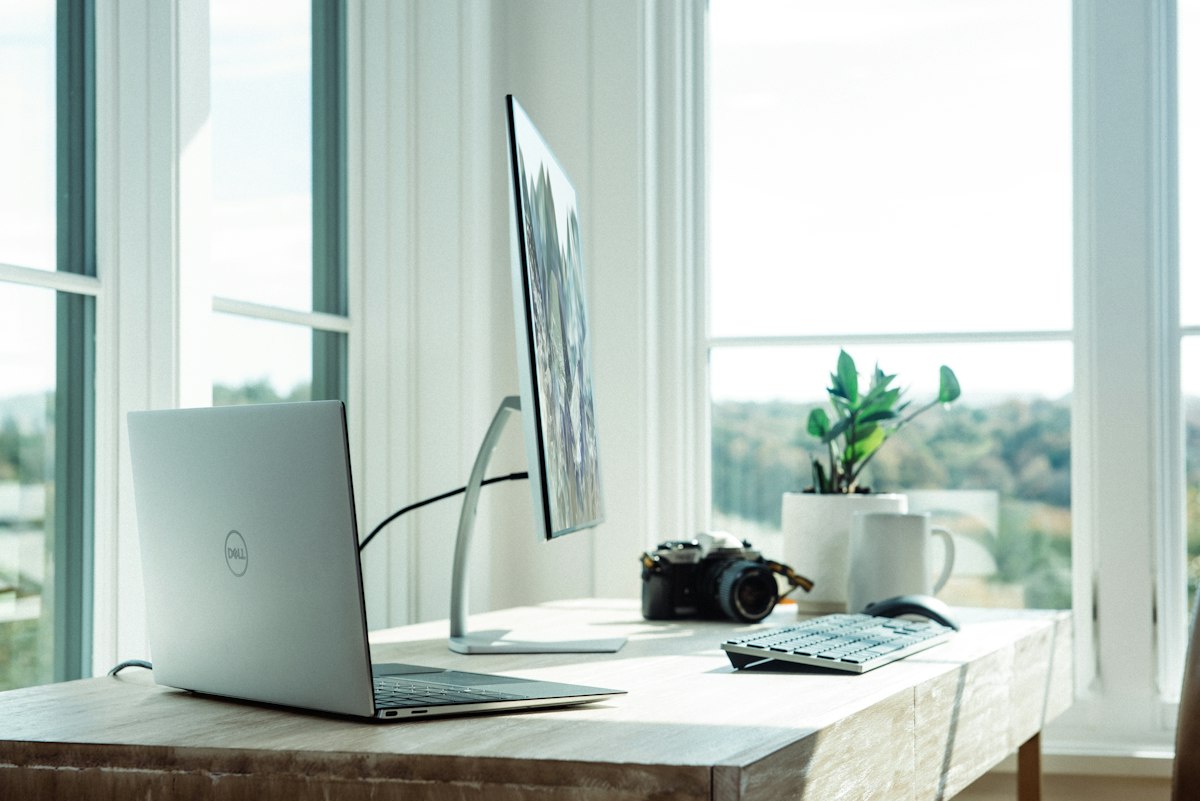
My Home Office Setup (And Why Every Piece Matters)
Three years of working from home. Three years of buying, returning, upgrading, and occasionally cursing at my desk setup. What I’ve landed on isn’t the flashiest workspace on the internet. But every single piece earns its spot.
I’m not going to tell you to replicate my setup exactly. Your workflow is different. Your budget is different. What I will tell you is why each piece survived the cut, what it replaced, and what I’d grab first if I had to start over tomorrow with nothing.
The Desk
A good desk is foundational. I went with the Uplift V2 standing desk after trying a basic IKEA Bekant sit-stand and a cheap Amazon electric frame that wobbled like it was afraid of heights. The Bekant motor died after fourteen months. The Amazon frame shook so badly at standing height that my coffee looked like a seismograph readout.
The Uplift V2 solved both problems. The sit-stand transition is smooth, the memory presets mean I don’t fiddle with the height every time, and the frame is rock solid even at standing height. I have the 60x30 bamboo top. Could have gone with laminate and saved $80, but the bamboo has held up to three years of coffee rings, wrist sweat, and general abuse without looking tired. The crossbar underneath is the reason for the stability. If you’re comparing standing desks and the frame doesn’t have one, keep looking.

Uplift V2 Standing Desk
$599
The Chair
I’ll spare you the Herman Miller Aeron recommendation that every other blog gives. I sat in one for two weeks at a friend’s place while visiting. The mesh seat dug into the backs of my thighs. The forward tilt was nice for focused work, but the lumbar support felt like a suggestion rather than actual architecture. Fine chair. Wrong chair for me.
I went with the Steelcase Leap. Better lower back support, more intuitive adjustments, and it doesn’t look like office furniture from a sci-fi movie. The key difference is how the backrest flexes. The Leap mimics the natural movement of your spine as you shift positions throughout the day, rather than just propping you up in one posture. After sitting in it for 8+ hours a day for two years, my back is actually better than when I started.
One thing nobody mentions in reviews: the seat depth adjustment. I’m 5’10” with longer legs, and being able to slide the seat pan forward made a real difference in knee pressure during long sessions. Small feature. Massive impact over months.
Steelcase Leap V2
$1,299
The Monitor
The LG 27UK850-W. 27 inches, 4K, USB-C with power delivery. I plug in one cable from my laptop and get display, power, and USB hub. That single-cable setup is the reason I chose this over the Dell U2723QE, which has slightly better color accuracy but requires a separate power connection to the laptop. When you’re switching between sitting and standing multiple times a day, fewer cables means fewer things to snag.
The color accuracy is solid enough for light photo editing, and the text rendering at 4K makes staring at code all day less fatiguing than any 1440p panel I’ve used. I considered an ultrawide. Decided against it. A single 27-inch 4K forces me to use one app at a time, which turns out to be good discipline. Dual monitors invite dual distractions.
The Keyboard and Mouse
Logitech MX Keys and MX Master 3S. Nothing exotic. They just work across every device, the battery lasts forever, and the typing feel on the MX Keys is the closest thing to a laptop keyboard in a full-size form factor. I tried a mechanical keyboard (the Keychron K2) and loved the sound, loved the feel, hated the fact that every video call participant could hear me typing like a court stenographer.
The MX Master 3S thumb scroll wheel is one of those features you don’t know you need until you have it. Horizontal scrolling through spreadsheets, scrubbing through timelines, switching between desktops. Three months in, you’ll wonder how you worked without it.
Cable Management
This was the unglamorous upgrade that changed the room. I mounted a cable tray under the desk (the J Channel Raceway from Amazon, $12 for a two-pack) and ran everything through it. Power strip lives in the tray. Monitor cable, charger, keyboard dongle receiver: all hidden. I used velcro cable ties instead of zip ties because the setup changes every few months and I got tired of cutting plastic off with scissors.
The result is a desk that looks clean from any angle. No spaghetti dangling behind the monitor. No power brick sitting on the floor collecting dust. It took about thirty minutes to install and it’s the single best visual upgrade I’ve made to this space.
Desk Lighting
I have the BenQ ScreenBar Halo mounted on top of my monitor. It throws light onto the desk surface without creating glare on the screen, which is the problem with every desk lamp I tried before it. The backlight feature on the Halo version also washes the wall behind the monitor in warm light, which reduces eye strain during late sessions.
What I haven’t solved yet is ambient room lighting for those nights when I’m working past 9 PM and the overhead fixture makes the room feel like a dentist’s office. I’ve been looking at the Nanoleaf Lines and the Govee RGBIC floor lamp. That’s the next upgrade, and I’ll update this piece when I figure it out.
Audio Setup for Calls
The laptop mic and speakers are never the answer. I use the Elgato Wave:3 microphone on a low-profile boom arm. Overkill for Zoom calls? Maybe. But I also record voice memos, occasional audio clips for content, and the Wave:3 handles all of it without needing a separate audio interface. The companion software lets me set a clipguard that prevents distortion when I get loud, which is more often than I’d like to admit on certain calls.
For output, I keep it simple: AirPods Pro for calls (the transparency mode lets me hear my own voice naturally) and Sony WH-1000XM5 headphones for focused work when I need to disappear. The Sony cans are the “do not disturb” sign that actually works.
What I Tried and Returned
Not everything made the cut.
The Autonomous ErgoChair Pro looked great in photos. In person, the build quality felt like it belonged at a $400 price point, not $500. The lumbar knob was mushy and the armrests wobbled after two weeks. Returned it inside the 30-day window.
The Samsung M8 Smart Monitor was an interesting idea (a monitor that doubles as a smart TV) and a mediocre execution of both. The built-in apps were laggy, the speakers were tinny, and the display’s color accuracy wasn’t close to the LG at a similar price. It looked beautiful on my desk and underperformed in every way that mattered.
The Apple Magic Keyboard with Touch ID felt like typing on a marble countertop. Beautiful object. Miserable typing experience for 8-hour days. My wrists ached after a week.
The Real Advice
Buy the chair first. Everything else is secondary. A bad chair will ruin your back, your focus, and your output faster than any monitor or desk ever could. Invest there and build outward.
After the chair, get the cable management sorted before you add more gear. Every new device you bring in creates two more cables. If you don’t have a system for managing them from the start, you end up with a desk that looks like the back of a TV stand from 2004. Nobody does their best thinking surrounded by tangled wires.
The total cost of this setup sits around $2,800 if you buy everything new at retail. You can cut that by a third if you grab the chair and monitor refurbished. Steelcase Leap V2s show up on resale markets constantly because corporate offices cycle furniture every few years. A five-year-old Leap that sat in a conference room twice a month has decades of life left. That’s the smartest money move in the whole setup.